Identity
You, exactly as you are
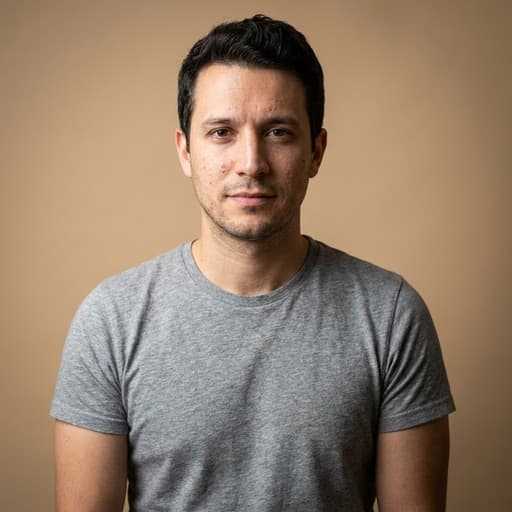
The AI keeps your face, features and identity as they are and changes only the presentation. Hold to compare against the original at any time.
Upload a clear photo of yourself, pick a look, and get studio-quality headshots that keep your face exactly as it is. Ready for LinkedIn, your resume and the application, in minutes.






Real-time answers during the interview itself, on desktop, web or mobile. Everything else here is preparation for this.
Browse the questions real candidates were asked, company by company, ranked by how often they come up.
Practice out loud against an AI interviewer that answers back, then read the transcript. Your first mock is free.
Build a resume tailored to the role you're chasing, so the call starts from the right story.
No studio, no photographer, no new outfit. One photo from your phone is enough.
The AI keeps your face, features and identity as they are and changes only the presentation. Hold to compare against the original at any time.
Start from a preset such as Corporate, LinkedIn classic, Startup, Executive, Outdoor or Creative, or set the background, attire, framing, lighting and expression yourself and add a line of notes.
Every headshot lands in a private gallery. Favorite it, download it for free, make more like it, or place it on a Resume Maker resume with one click.
Front-facing, well lit, no sunglasses. That is all the photo needs to be.
Pick a clear, front-facing photo of yourself. It is cropped square in the browser before it is sent.
Choose a preset or set every detail yourself, and decide how many images to make.
Up to 4 images per run, each one yours to keep. Downloads are free and unlimited.
Subscribe for unlimited peace of mind, pick just the Prepare tools you need, or buy credits and use them whenever.
Pick only the Prepare tools you need, each priced on its own. Calls and mock interviews stay on credits.
Couldn't find what you were looking for?
A clear, front-facing photo of yourself with your face well lit. A phone photo is fine. It is cropped square in the browser before it is sent, so frame your face in the middle.
Yes. The AI keeps your face, features and identity exactly as they are and changes only the background, clothing, framing, lighting and expression you chose. In the gallery you can hold to compare any headshot against the original.
Yes. Every headshot has a Use on a resume action that places it as a Resume Maker profile photo, and the Resume Maker's photo field can pick one of your headshots.
One photo in, studio headshots out. Downloads are free.


